
How to Color Grade Your Course Videos for a More Professional Look
In partnership with invideo
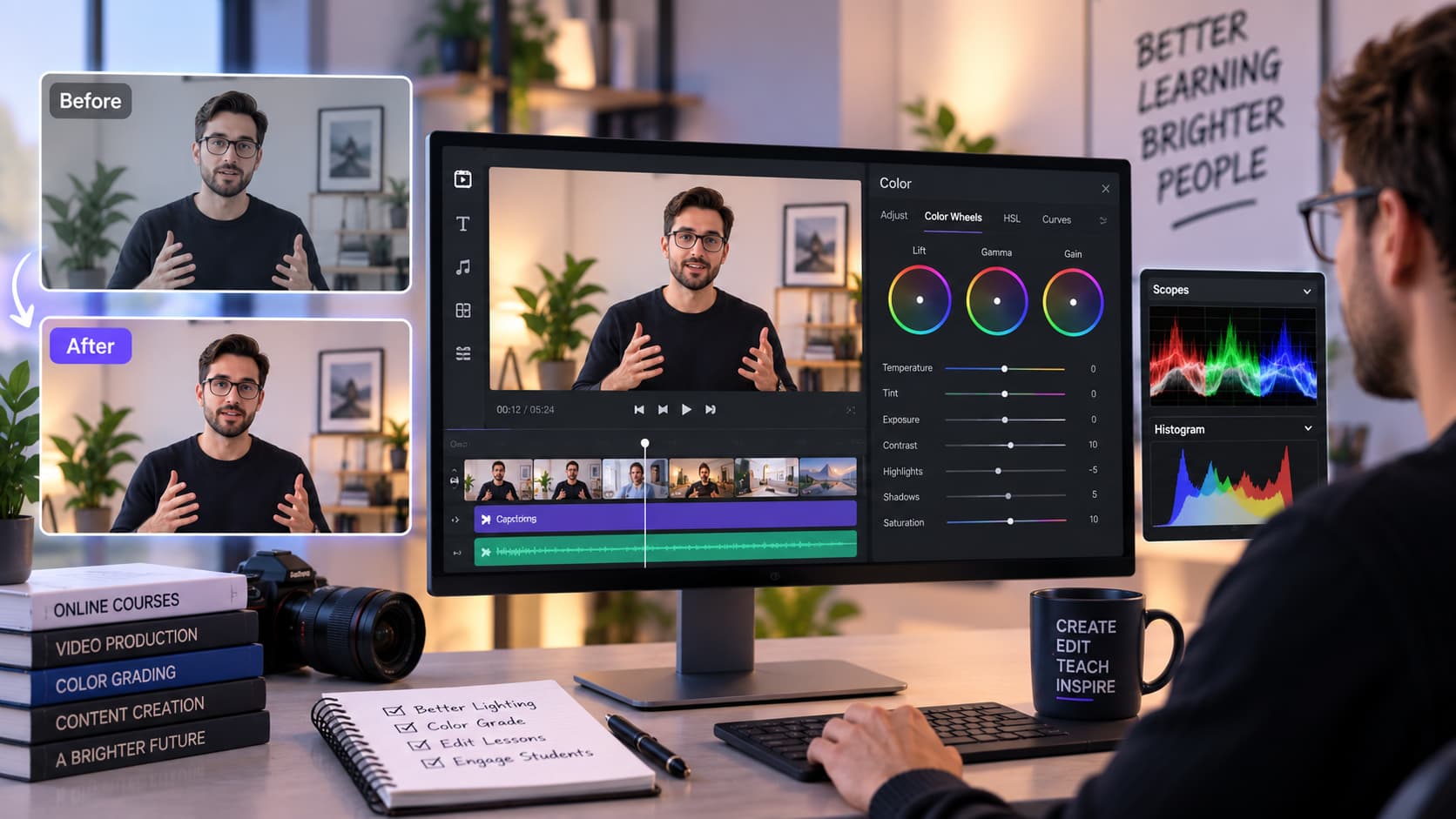
When creating an online course, the quality of your videos directly influences how learners experience your content. While clear explanations and valuable information are the foundation of a good course, the visual presentation also plays an important role in keeping students engaged.
Many course creators focus on cameras, microphones, and recording setups but overlook one important aspect of professional video production, that is, color consistency.
A lesson recorded in natural light may look different from another lesson recorded indoors. Some videos may appear too bright, while others may look dull or have inconsistent colors. These differences can make an entire course feel less polished.
Color grading helps solve this problem by improving the overall appearance of videos and creating a consistent visual style across lessons.
With tools like invideo editor, anyone can adjust the look of their videos, refine visual quality, and create professional-looking course content without requiring advanced editing knowledge.
Why Color Grading Matters for Online Course Videos
Color grading is not only about making videos look cinematic. For course creators, it is mainly about creating clarity, consistency, and professionalism.
A well-balanced video helps learners focus on the instructor and the lesson instead of being distracted by visual issues.
Common problems in course recordings include:
- Different lighting conditions between lessons
- Incorrect brightness levels
- Flat-looking footage
- Inconsistent colors across modules
- Poor contrast
For example, if one lesson appears warm and bright while another appears dark and cold, the course may feel like it was created from unrelated recordings.
A consistent color style helps bring all lessons together and creates a stronger learning experience.
Understanding Color Correction and Color Grading
Before adjusting your course videos, it is important to understand the difference between color correction and color grading.
Color Correction: Fixing the Footage
Color correction focuses on making the video look natural. It involves adjusting:
- Brightness
- Exposure
- Contrast
- White balance
- Color balance
For example, if your webcam recording looks too dark or has an unnatural color tone, correction helps restore a more realistic appearance.
Color Grading: Creating a Visual Style
Color grading focuses on enhancing the overall look of the video. It can help create:
- A warmer teaching environment
- A cleaner professional appearance
- Better visual consistency
- A recognizable course style
For online courses, the goal is usually not dramatic cinematic effects. Instead, creators should aim for a clean and professional visual identity.
Color Grading in invideo Editor to Improve Course Videos
Invideo editor provides color adjustment capabilities that help creators refine the appearance of their footage directly within the editing workflow.
Instead of exporting videos to separate color correction software, course creators can adjust their visuals while editing their lessons.
This makes the process more efficient, especially for creators producing multiple course modules.
The color workflow can help improve important aspects of video appearance, including:
- Overall brightness
- Contrast levels
- Visual balance
- Consistency between clips
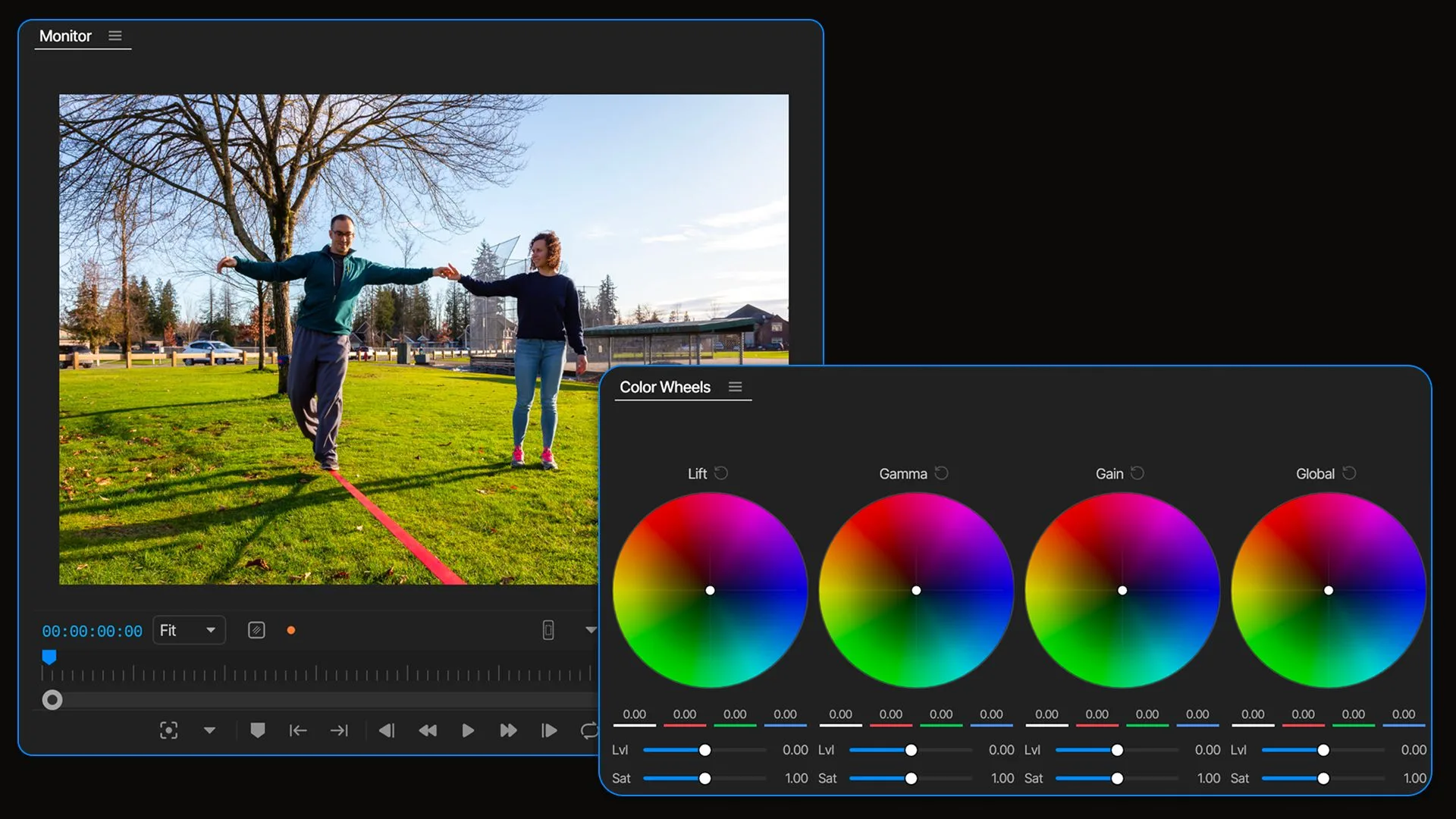
Step 1: Adjust Brightness and Exposure
The first step in improving a course video is balancing brightness.
Poor lighting can make videos appear:
- Too dark
- Washed out
- Difficult to watch
For example, an instructor recording near a window may have uneven lighting, where the background appears brighter than their face.
Adjusting exposure helps create a balanced image where the important elements remain visible.
When editing course videos in invideo Editor, creators can refine the visual appearance of clips to ensure lessons look clear and professional.
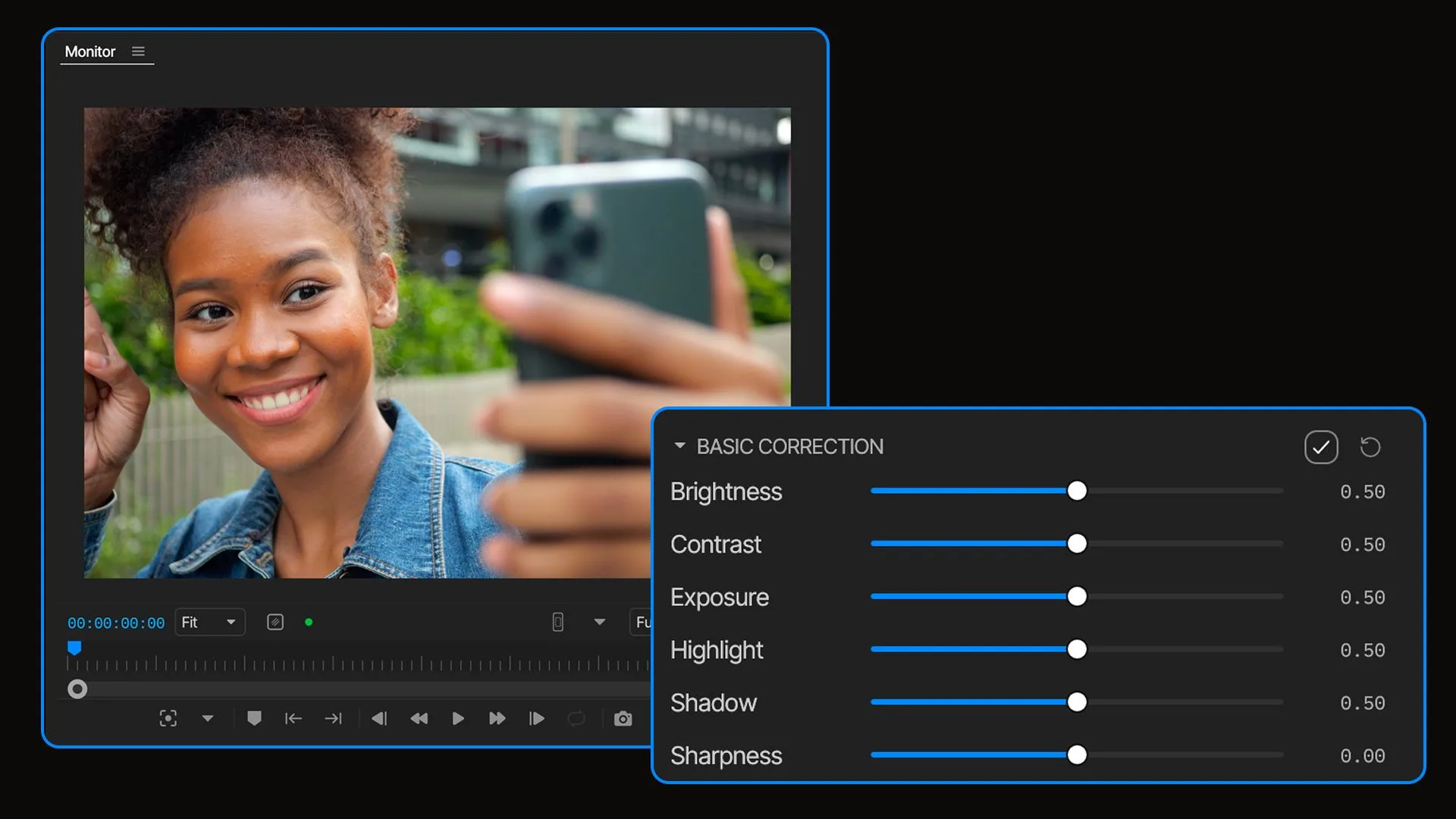
Step 2: Improve Contrast for Better Visual Clarity
Contrast controls the difference between darker and brighter areas of a video.
A video with very low contrast can appear flat, while excessive contrast can make details disappear.
Balanced contrast helps:
- Improve visual depth
- Make subjects stand out
- Create a cleaner appearance
For educational videos, maintaining natural contrast is usually the best approach.
The goal is to make the content easier to view, especially when students watch lessons on different screens and devices.
Step 3: Maintain Consistent Colors Across Course Lessons
One of the biggest challenges for course creators is maintaining consistency.
A course may include videos recorded:
- On different days
- In different locations
- With different lighting
As a result, each lesson may have a slightly different appearance.
Color adjustments help creators create a unified style across their entire course library.
For example, a creator can ensure that every lesson has similar:
- Brightness levels
- Color tones
- Contrast
- Overall appearance
This creates a more professional and organized learning experience.
Step 4: Improve Skin Tones and Natural Appearance
For courses where instructors appear on camera, maintaining natural skin tones is important.
Incorrect color settings can make skin appear:
- Too orange
- Too pale
- Too blue
A balanced color adjustment helps keep the instructor looking natural while improving the overall video quality.
This is especially useful for:
- Coaching videos
- Educational tutorials
- Business training courses
- Personal brand courses
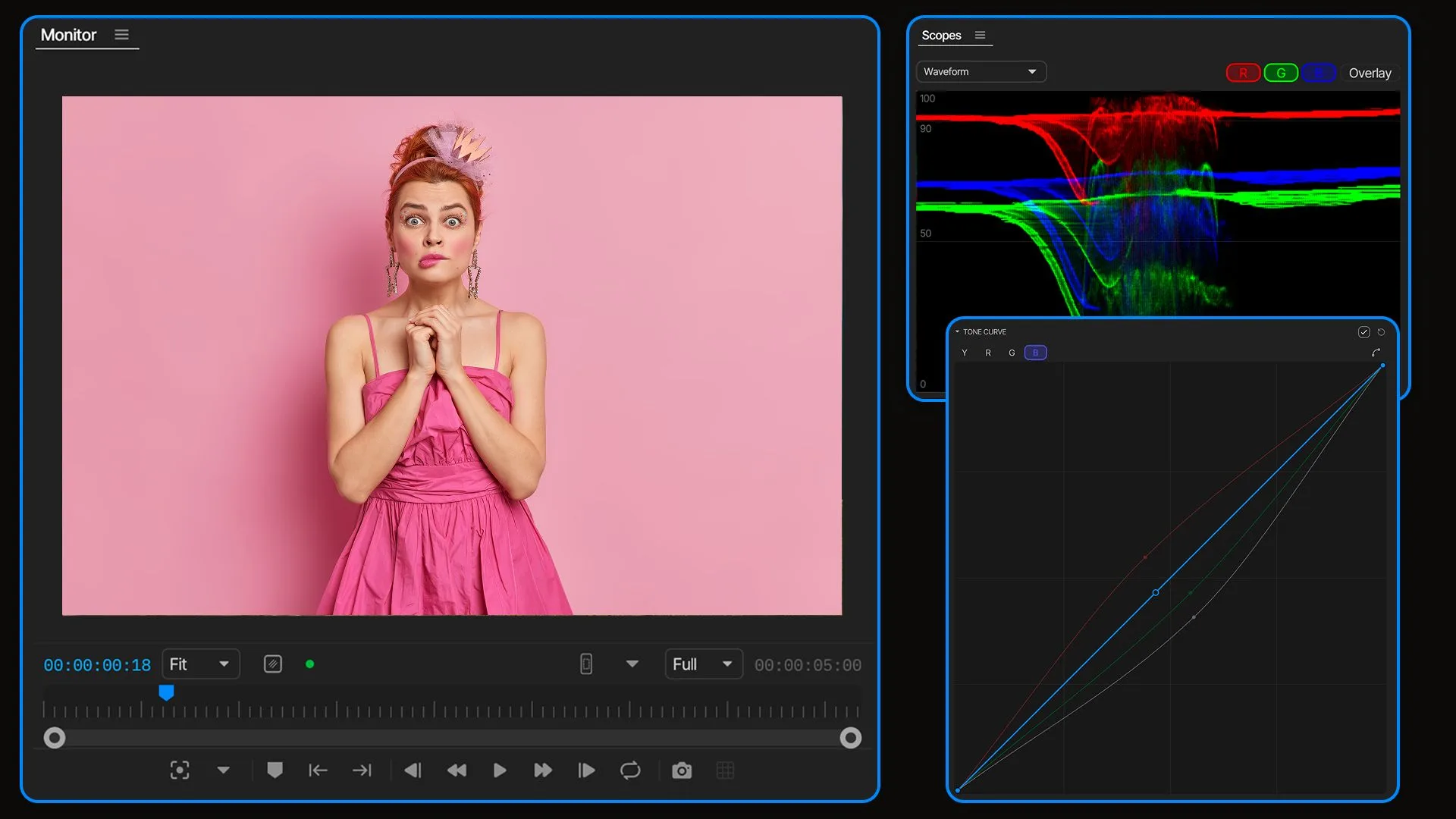
Step 5: Create a Professional Visual Style
Beyond technical corrections, creators can use color adjustments to develop a consistent brand identity.
For example, a course creator may prefer:
- A clean and bright style
- A warm and welcoming look
- A modern technology-focused appearance
A consistent visual style helps learners recognize the creator's content and creates a stronger professional impression.
Why Color Editing Is Important for Course Creators
Many educators assume that editing is only about cutting clips and removing mistakes. However, professional video production includes many smaller details that improve the viewing experience.
Color quality influences:
- Viewer perception
- Brand identity
- Course professionalism
- Learning comfort
A well-edited course feels more structured and trustworthy.
Combining Color Adjustments With Other Editing Improvements
Color grading works best when combined with other editing improvements.
A professional course video workflow may include:
- Cleaning unnecessary sections
- Improving audio quality
- Adding captions
- Adding supporting visuals
- Adjusting colors
- Creating consistent formatting
Invideo Editor allows creators to manage these improvements within a single editing workflow, helping reduce the complexity of producing polished educational content.
Conclusion
Color grading is an important part of creating professional online course videos. It helps transform basic recordings into polished lessons by improving brightness, contrast, consistency, and overall visual quality.
For course creators, the goal is not to create dramatic cinematic effects but to produce clear, professional, and consistent educational content.
With invideo Editor's Color feature, creators can refine their videos while editing, making it easier to maintain a professional visual style across their entire course library.
As online education becomes increasingly competitive, small improvements in video quality can help create a better learning experience and stronger connection with students.
Either path works: edit it yourself with invideo, or skip recording altogether with MakeOnlineCourse.
✅ Ready to build your course? → MakeOnlineCourse.com
Related posts
- How to Edit Course Videos Like a Professional Without Hiring a Video EditorPlan, edit, and polish professional online course videos using AI-assisted workflows - no video editor required.
- How to Turn Long Lectures Into Engaging Microlearning Videos Using invideo EditorTurn long lecture recordings into focused, engaging microlearning videos with a structured editing workflow.
- The Future of eLearning Video ProductionHow AI is transforming the entire eLearning production cycle - from planning and visuals to AI avatars, localization, and smarter video editing.